
Cisco Switch Security Configuration
For security reason one password is used for the enable password and the other will later be assigned to the console port. [boxads]
SWITCH(config)#enable secret [password]
SWITCH(config)#username admin password [password]
A password should be required to access the console line. Even the basic user EXEC mode can provide significant information to a malicious user. In addition, the VTY lines must have a password before users can access the switch remotely.
Cisco Switch Security Configuration:
SWITCH(coanfig)#line console 0
SWITCH(config-line)#password cisco
SWITCH(config-line)#login
SWITCH(config-line)#line vty 0 15
SWITCH(config-line)#password cisco
SWITCH(config-line)#login
SWITCH(config-line)#exit
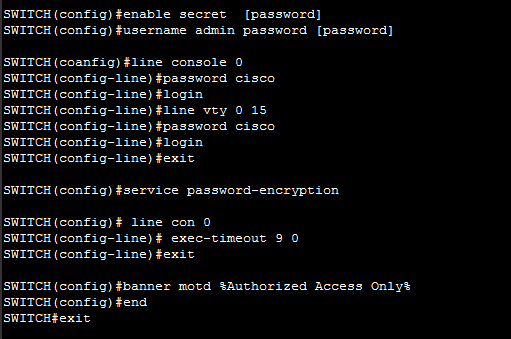
At this stage, the privileged EXEC password is already encrypted. To encrypt the line passwords that you just configured, enter the service password-encryption command in global configuration mode.
SWITCH(config)#service password-encryption
Set the exec-timeout period to 9 minutes or less to disconnect idle connections to the console line on each switch. Do not set the timeout period to zero because on Cisco switches that will disable the timeout. The following example sets the timeout period for the console line to 9 minutes and 0 seconds.
SWITCH(config)# line con 0
SWITCH(config-line)# exec-timeout 9 0
Configure the message-of-the-day (MOTD) using Authorized Access Only as the text. Follow these guidelines: [bodyads]
- The banner text is case sensitive. Make sure you do not add any spaces before or after the banner text.
- Use a delimiting character before and after the banner text to indicate where the text begins and ends. The delimiting character used in the example below is %, but you can use any character that is not used in the banner text.
- After you have configured the MOTD, log out of the switch to verify that the banner displays when you log back in.
SWITCH(config)#banner motd %Authorized Access Only%
SWITCH(config)#end
SWITCH#exit
