
Huawei iMaster NCE 6K Manager is an enterprise-grade Network Management System (NMS) designed to provide centralized management, monitoring, fault analysis, configuration management, and service provisioning for large-scale telecommunications networks. In GPON environments, it enables network operators to manage Huawei OLTs from a unified platform instead of logging into each device individually.
This guide explains the planning and deployment process for Huawei iMaster NCE 6K Manager in GPON environments. Because deployment procedures vary between software releases (such as R022, R024, and later) and licensing models.
What Is Huawei iMaster NCE 6K Manager?
Huawei iMaster NCE 6K Manager is an enterprise network management platform that centralizes the operation of Huawei access, IP, and transport devices. Within GPON deployments, it functions as the management layer between network operators and Huawei OLT infrastructure.
Rather than configuring each OLT individually, engineers can use the platform to:
- Discover supported Huawei OLTs
- Monitor network health
- Collect alarms and performance data
- Back up configurations
- Manage user access
- Perform centralized software and configuration management
Depending on the licensed modules and deployment architecture, additional capabilities may be available.
Why Use an NMS for GPON Networks?
As GPON networks expand, operational complexity increases. A centralized management system reduces operational effort while improving visibility.
Benefits
| Benefit | Description |
|---|---|
| Centralized Management | Manage multiple OLTs from one platform. |
| Faster Fault Detection | Consolidated alarms help reduce Mean Time to Repair (MTTR). |
| Performance Monitoring | Collect interface, CPU, memory, optical, and service statistics. |
| Configuration Management | Archive, compare, and restore device configurations. |
| Operational Consistency | Apply standardized management workflows across sites. |
| Scalability | Support growth from a small deployment to large enterprise or ISP environments (subject to licensing and platform sizing). |
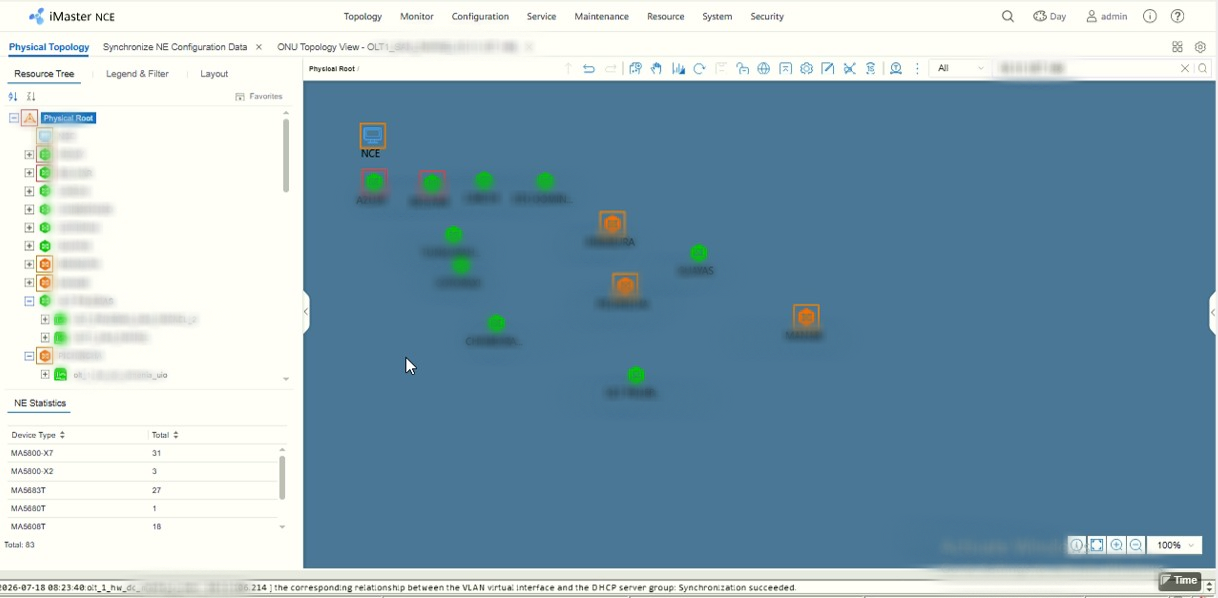
Supported Huawei Devices
Support depends on the installed software version and license package.
- Huawei MA5800 series OLTs
- Huawei MA5600T or MA5680T series OLTs
- Huawei EA5800 platforms (where supported)
- Huawei MA5801 series OLTs
- Huawei HGXXXX & EGXXXX series ONTs
Note: OLT minimum Firmware version required R018 to support in NCE NMS.
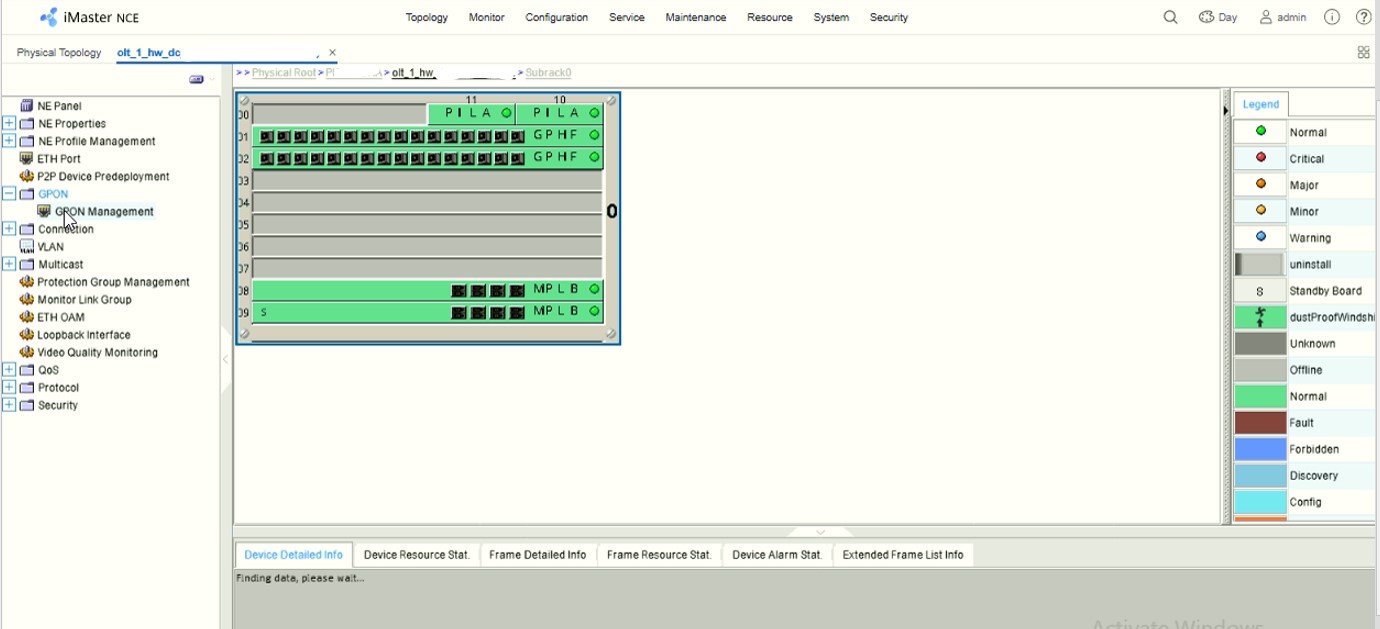
Key Features
Typical capabilities include:
- Centralized device inventory
- Alarm management
- Performance monitoring
- Configuration backup
- User and role management
- License management
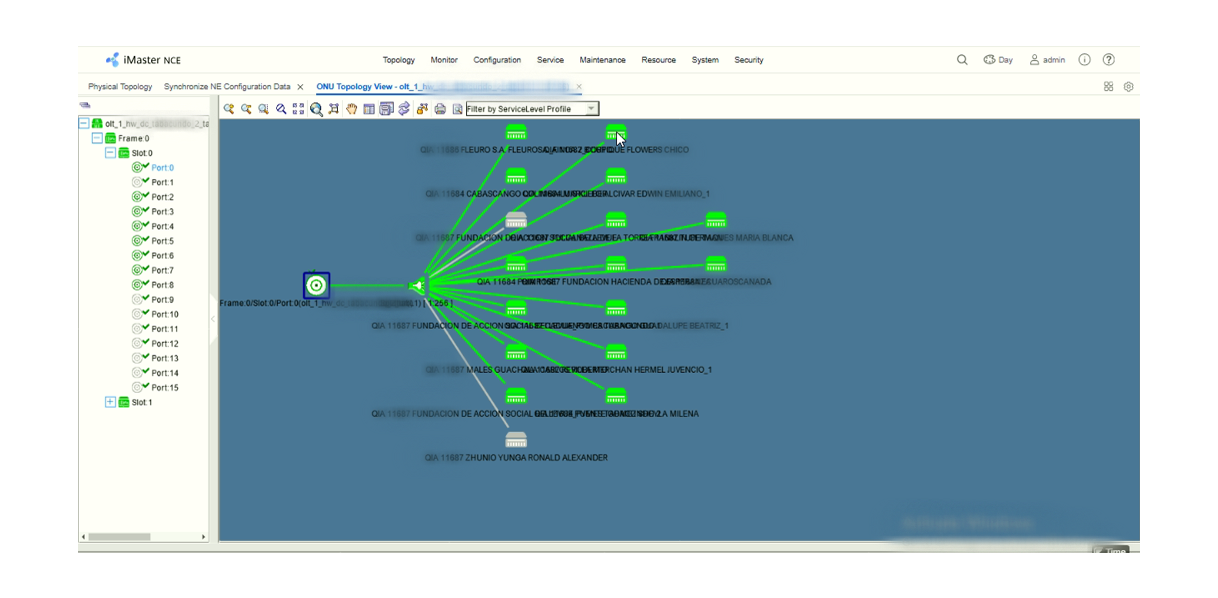
- Topology visualization (depending on edition)
- Historical performance reporting (Bandwidth graph, Optical power, etc.)
- Event correlation (depending on deployment)
The available feature set varies by product edition and license.
Hardware Planning
Huawei publishes platform-specific sizing guidance. Actual requirements depend on factors such as:
- Number of managed OLTs
- Number of managed ONTs
- Alarm volume
- Performance data retention
- Enabled applications
- High availability requirements
Instead of relying on generic specifications, use the hardware recommendations provided for your software release and deployment size.
Planning Considerations
- CPU resources
- Memory capacity
- High-performance storage (preferably SSD/NVMe)
- Database growth
- Future expansion
- Backup storage
- Redundant power
- Network redundancy
Supported Operating Systems
Supported operating systems vary by release.
Examples may include:
- Huawei EulerOS
- SUSE Linux Enterprise Server (selected releases)
Always verify compatibility before installation.
Field Deployment Notes
Based on practical GPON deployments, several issues commonly delay successful installation:
- Incorrect server sizing leads to poor performance as the network grows.
- Time synchronization problems can cause certificate or authentication issues.
- Firewall rules may block communication between the NMS and managed OLTs.
- Using unsupported software combinations (for example, mismatched OLT firmware and NMS releases) can prevent successful device management.
- Production deployments should always include a documented backup and rollback plan before introducing the NMS into a live network.
Verify Server Hardware
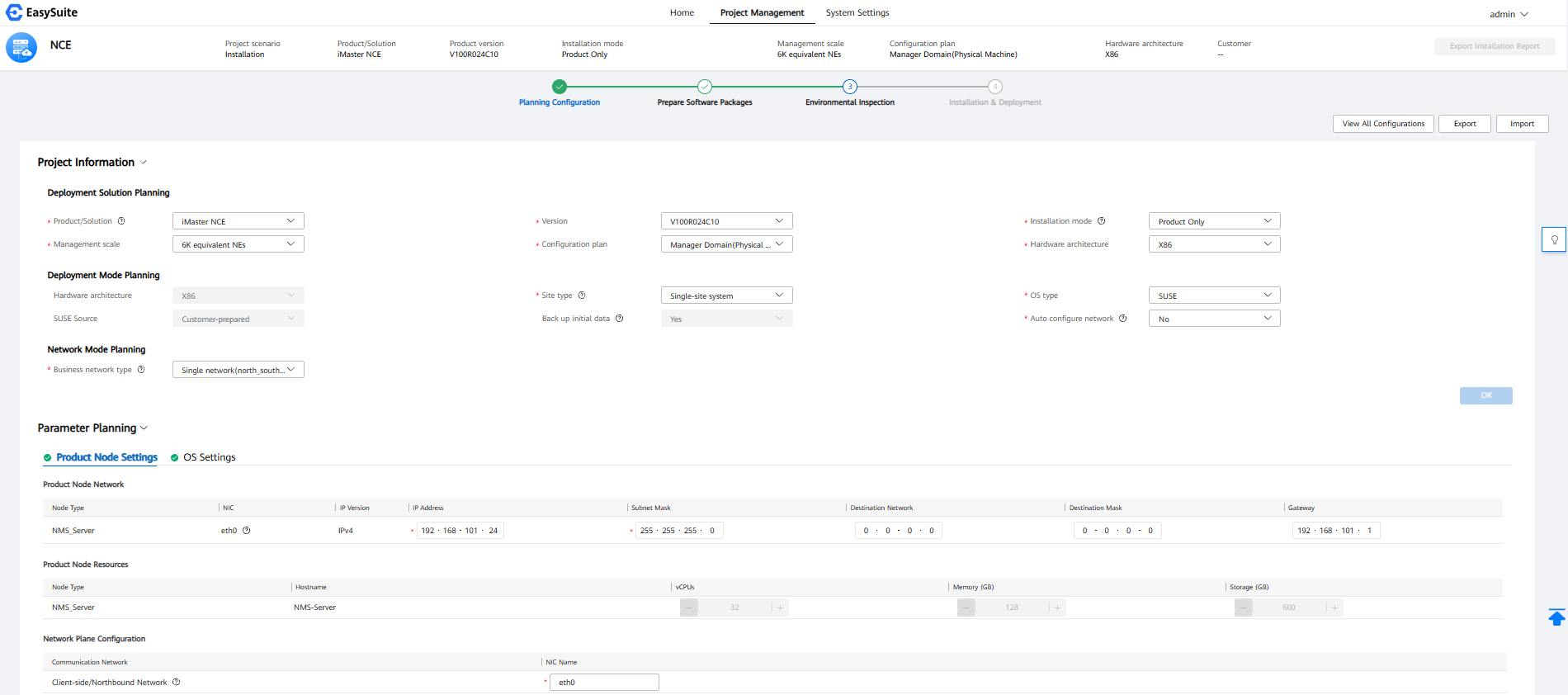
Before installing the operating system, confirm that the server resources align with the Huawei deployment guide for your target scale.
NCE 6K Manager Hardware Checklist
| Item | Verify |
|---|---|
| CPU Architecture: X86 | ✔ |
| CPU Cores: Minimum: 32 Core, Max: 48 Core | ✔ |
| Memory Capacity: Minimum: 128GB, Max: 196GB | ✔ |
| SSD/NVMe Storage: Minimum: 600GB, MAX: 1200GB | ✔ |
| RAID Configuration: RAID10 | ✔ |
| Dual Power Supply: Yes | ✔ |
| Management NIC: 4 LAN | ✔ |
| BIOS Time: current | ✔ |
| Virtualization Support (if applicable) | ✔ |
Where can I get professional installation support?
If you need assistance deploying Huawei iMaster NCE 6K Manager, you can contact gponsolution.com owner for professional installation, configuration, troubleshooting, health checks, and optimization services.
Need Professional Huawei NCE Installation?
Deploying Huawei iMaster NCE 6K Manager in a production GPON network requires proper planning, server sizing, licensing, security configuration, and device integration. Incorrect deployment can lead to communication issues, device discovery failures, or reduced system performance.
GPON SOLUTION provides professional Huawei network management services for ISPs, enterprise networks, and system integrators.
Our Services
- Huawei iMaster NCE 6K Manager Installation
- Huawei NCE-FAN Lite 1K Manager Installation
- Huawei U2000 Installation
- Huawei GPON OLT Integration
- Huawei OLT Discovery & Provisioning
- Huawei SNMP Configuration
- Remote Deployment Support
Huawei iMaster NCE NMS Install (existing VMware/proxmox)
Minimum Hardware & Software Requirements Comparison
1. NCE NMS Server Requirements (VM-1)
| SL | NCE Version | Deployment Type | RAM | CPU Cores | Architecture | Storage | Operating System | NMS install Price |
| 1 | R022 | NCE-FAN 1K Lite Manager | 64 GB | 16 | x86 | 600 GB SSD | Euler OS | $1200 USD |
| 2 | R024 | NCE-FAN 1K Lite Manager | 64 GB | 16 | x86 | 600 GB SSD | Euler OS | $1600 USD |
| 3 | R024 | NCE (IP+T+FAN) 1K Lite Manager | 128 GB | 24 | x86 | 600 GB SSD | Euler OS | $1800 USD |
| 4 | R024 | NCE (IP+T+FAN) 6K Manager | 128 GB | 32 | x86 | 600 GB SSD | SUSE OS | $4000 USD |
| 5 | R024 | NCE-FAN 6K Manager + Controller | 384 GB | 96 | x86 | 1600 GB SSD | Euler OS | $4000 USD |
2. NCE Installation Client PC Requirements (VM-2)
| Parameter | Minimum Requirement |
|---|---|
| RAM | 8 GB |
| Processor | 6 Cores, 2.6 GHz or above |
| Architecture | x86 |
| Storage | 400 GB SSD/HDD |
| Operating System | Windows Server 2012 R2 / 2016 R2 Standard Edition or Windows 10 / 11 |
| Display Resolution | Minimum 1366 × 768 (Recommended: 1920 × 1080) |
| Web Browser | Google Chrome 113 or later (32-bit / 64-bit) |
3. Network Connectivity Requirements
| SL | Connectivity | Mandatory Requirements |
|---|---|---|
| 1 | OLT ↔ NCE Server | Bidirectional IP connectivity (Ping) without firewall |
| 2 | OLT ↔ Windows Client PC | Bidirectional IP connectivity (Ping) |
| 3 | Windows Client PC ↔ NCE Server | Bidirectional IP connectivity (Ping) |
| 4 | IP Addressing | Private IP addressing |
| 5 | Network Routing | Proper IP routing between all endpoints |
| 6 | NAT | NAT is not acceptable |
4. Important Deployment Notes
- Ensure bidirectional IP reachability between OLT, NCE Server, and Windows Client PC before installation.
- All devices must communicate using private IP addresses through proper IP routing.
- NAT-based connectivity is not acceptable for the deployment.
- Install the respective Huawei-customized Euler OS or SUSE OS according to the selected NCE deployment model.
- Ensure the Windows Client PC meets the specified browser and display resolution requirements.
Note: The above specifications represent the provided minimum deployment requirements.
Final hardware procurement should be validated against the corresponding Huawei NCE R022/R024 installation guide.
Contact GPONSolution
Need a Huawei iMaster NCE 6K Manager R024 Version NMS deployment? Contact GPONSolution for expert assistance with installation, integration, and production-ready GPON network management solutions.
Website
https://gponsolution.com
Email: gponsolutionbd@gmai.com
Telegram: https://t.me/Shahed_Israr
Teams: https://teams.live.com/l/invite/FEAtxStbcc4xZpYNQU
Service Coverage:
- Remote Installation
- Online Technical Support
- GPON Deployment Assistance
- Huawei OLT Configuration
- Huawei NMS Troubleshooting
You can see below article also
- Huawei U2000 Installation Guide
- Huawei iMaster NCE-FAN Installation Guide
- Huawei GPON Troubleshooting Guide
- Huawei OLT Firmware Upgrade Guide
- Huawei Third-Party ONT Compatibility Guide

Hello
we have around 100 MA5800-X17 OLTs
we are using U2000 V17
can we upgrade to NCE FAN?
how can we contact you for the details?
Add me on Telegram: https://t.me/Shahed_Israr