Huawei iMaster NCE-FAN 6K Manager: GPON NMS Installation and Configuration

Huawei iMaster NCE 6K Manager is an enterprise-grade Network Management System (NMS) designed to provide centralized management, monitoring, fault analysis, configuration management, and service provisioning for large-scale telecommunications networks. In GPON environments, it enables network operators to manage Huawei OLTs from a unified platform instead of logging into each device individually.

This guide explains the planning and deployment process for Huawei iMaster NCE 6K Manager in GPON environments. Because deployment procedures vary between software releases (such as R022, R024, and later) and licensing models.

What Is Huawei iMaster NCE 6K Manager?

Huawei iMaster NCE 6K Manager is an enterprise network management platform that centralizes the operation of Huawei access, IP, and transport devices. Within GPON deployments, it functions as the management layer between network operators and Huawei OLT infrastructure.

Rather than configuring each OLT individually, engineers can use the platform to:

  • Discover supported Huawei OLTs
  • Monitor network health
  • Collect alarms and performance data
  • Back up configurations
  • Manage user access
  • Perform centralized software and configuration management

Depending on the licensed modules and deployment architecture, additional capabilities may be available.

Why Use an NMS for GPON Networks?

As GPON networks expand, operational complexity increases. A centralized management system reduces operational effort while improving visibility.

Benefits

Benefit Description
Centralized Management Manage multiple OLTs from one platform.
Faster Fault Detection Consolidated alarms help reduce Mean Time to Repair (MTTR).
Performance Monitoring Collect interface, CPU, memory, optical, and service statistics.
Configuration Management Archive, compare, and restore device configurations.
Operational Consistency Apply standardized management workflows across sites.
Scalability Support growth from a small deployment to large enterprise or ISP environments (subject to licensing and platform sizing).
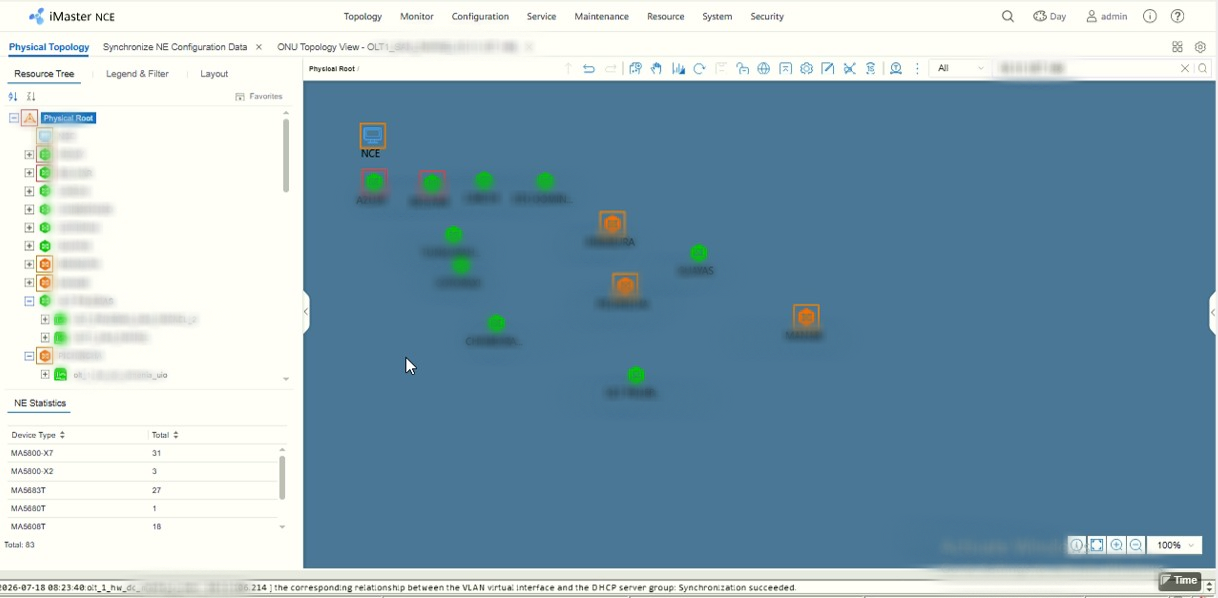
Huawei iMaster NCE dashboard
Main NMS dashboard after deployment

Supported Huawei Devices

Support depends on the installed software version and license package.

  • Huawei MA5800 series OLTs
  • Huawei MA5600T or MA5680T series OLTs
  • Huawei EA5800 platforms (where supported)
  • Huawei MA5801 series OLTs
  • Huawei HGXXXX & EGXXXX series ONTs
Note: OLT minimum Firmware version required R018 to support in NCE NMS.
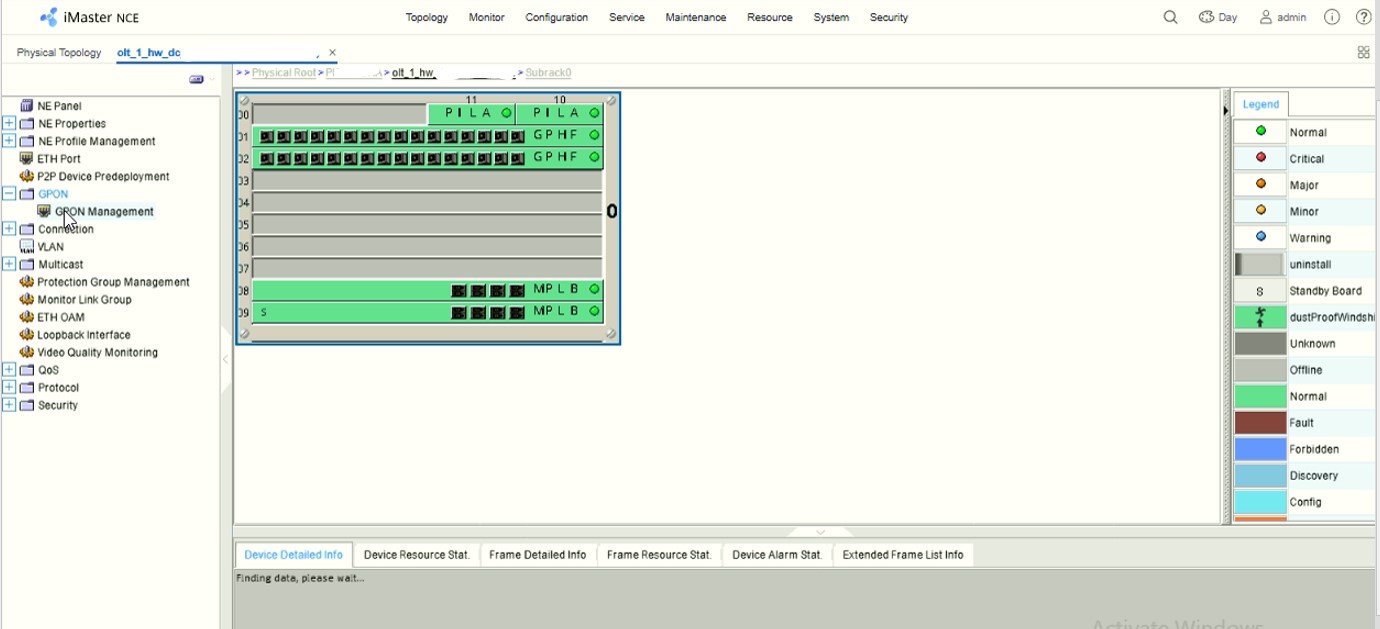
Huawei iMaster NCE 6K Manager

Read more

Huawei U2000 NMS Service for GPON Networks | Installation, Configuration & Support

Huawei U2000 NMS Service for GPON Networks | Installation, Configuration & Support

Managing a modern GPON network requires a reliable and centralized Network Management System (NMS) capable of monitoring, configuring, troubleshooting, and maintaining fiber access infrastructure efficiently.

Huawei iManager U2000 NMS is an enterprise-grade telecom network management platform developed by Huawei Technologies for managing GPON, transmission, IP, and access network devices from a single centralized dashboard.

At GPON Solution, we provide professional Huawei U2000 NMS installation, configuration, deployment, troubleshooting, and technical support services for Internet Service Providers (ISP), FTTH operators, telecom companies, enterprise network administrators, and GPON engineers worldwide.

What is Huawei iManager U2000 NMS?

Huawei iManager U2000 is a comprehensive Network Management System (NMS) designed for centralized monitoring and management of telecom infrastructure.

It allows operators to manage multiple network elements from one platform while improving operational efficiency and reducing manual configuration work.

Huawei U2000 supports management of:

• GPON OLT devices
• ONT and ONU remote management
• FTTH access networks
• Transmission network equipment
• Metro Ethernet devices
• Routers and switches
• IP/MPLS network infrastructure
• Telecom service provisioning
• Network fault and alarm monitoring

It is widely deployed by telecom operators and broadband providers to simplify large-scale network operations.

Our Huawei U2000 Professional Services

We provide complete technical support services for Huawei U2000 deployment and GPON network integration.

Read more

Huawei PON SFP Modules | GPON XG-PON XGS-PON & 50G-PON Optical Transceivers

Huawei PON SFP Modules – Complete GPON XG-PON XGS-PON & 50G-PON Optical Transceiver Guide Introduction Huawei PON SFP modules are carrier-grade optical transceivers designed for GPON XG-PON XGS-PON & 50G-PON broadband access networks. Widely deployed by Internet Service Providers (ISPs), telecom operators, FTTH service providers, and enterprise network operators, these optical modules enable high-performance fiber … Read more

Huawei OLT user parameter

Huawei OLT user parameter If you want to query the system parameters of a user in Huawei OLT then use command: display system user parameter Usage Guidelines You can query the following parameters: Lock type Lock conditions Lock duration Lock duration when the system is idle Switch status for password change upon first login Minimum … Read more

ONT Reason of offline: Insufficient OLT PON port RTU in MA5801 OLT

ONT Reason of offline: Insufficient OLT PON port RTU in MA5801 OLT

In Huawei MA5801-GP08-H3, MA5801-GP08-H2 or MA5801 other model OLT if you see ONT status offline.

Reason of offline: Insufficient OLT PON port RTU

Then you can knock me Telegram: https://t.me/Shahed_Israr
I have solution for this problem.

Below are example before & after work.

Before work:

MA5801-GP08-H3(config-if-gpon-0/1)#display ont info 0 0
{ <cr>||<K> }:

Command:
display ont info 0 0
—————————————————————————–
F/S/P : 0/1/0
ONT-ID : 0
Control flag : active
Run state : offline
Config state : initial
Match state : initial
Reason of offline : Insufficient OLT PON port RTU
DBA type : –
ONT distance(m) : –
ONT last distance(m) : –
ONT battery state : –
ONT power type : –
Memory occupation : –
CPU occupation : –
Temperature : –
Authentic type : SN-auth
SN : 48575443E235D2B0 (HWTC-E235D2B0)

Read more

Huawei OLT Unlock to support any brand ONT

Huawei OLT Unlock to support any brand ONT

Huawei OLT by default not support 3rd-party other brand ONT. After configuring an ONT, if the ONT Run State does not come online, it usually indicates that the OLT needs to be unlocked.

Typical error/status messages you may encounter include:

Run state: offline

Reason of Offline: Insufficient ONT interoperability access license

Reason of Offline: No third-party ONU interoperability authorization

Reason of Offline: Lack of third-party ONT licenses

Last down cause : LOSi/LOBi.

Then you need to unlock your Huawei OLT. After OLT unlock its release lock & ONT status shows online.

If you interested to OLT Unlock Service, knock me below:
Teams: https://teams.live.com/l/invite/FEAtxStbcc4xZpYNQU

Telegram: https://t.me/Shahed_Israr
E-mail: shahed.cse06@gmail.com

I have Below OLT Unlock solution:

MA5600T/MA5680T/MA5603T/MA5683T: (SCUN/SCUK/SCUH) Firmware Version R015/R018

MA5608T: (MCUD/MCUD1)Firmware Version R015/R018

MA5800-X2: (H901 MPSC/MPSA/MPSG) Firmware Version R018/R019/R021/R022/R023/R024

MA5800-X7/MA5800-X15/MA5800-X17: (H901/H902/H903/H905/907MPLA/MPLB) Firmware Version R018/R019/R021/R022/R023/R024

Huawei OLT Model

OLT Control Board Model

Unlockable Firmware version

MA5800-X2

H901MPSC / H901MPSA /

H901MPSG / H902MPSG

R018 / R019 / R021 / R022 / R023 / R024

MA5800-X7

MA5800-X15

MA5800-X17

H901MPLA / H902MPLA / H903MPLA

H901MPLB / H902MPLB / H903MPLB / H905MPLB / H907MPLB

R018 / R019 / R021 / R022 / R023 / R024

MA5801

V922MPCC

R022

MA5608T

MCUD / MCUD1

R015 / R018

MA5603T/MA5683T

MA5600T/MA5680T

SCUN / SCUH

R015 / R018

Read more