
Configure bandwidth limit cisco switch

How to Configure bandwidth limit cisco switch / bind switch port bandwidth

Today i will discuss how to configure bandwidth limit cisco switch port. At first create policy map then apply it into port which port you bind specific bandwidth. In this case i will show you how to configure 1 MB Bandwidth limit in a switch port.[boxads]

Go to config mode by: conf t command then follow bellow command.

Policy Map for Input traffic:

policy-map 1MBps
class class-default
police cir 1048576 bc 1000000
conform-action transmit
exceed-action drop

Policy Map for Output traffic:

policy-map 1MBps_Out
class class-default
queue-limit 544
shape average 1048576

[bodyads]

Now we apply policy map in fa0/8 port which i configure before:

conf t
interface FastEthernet0/8
service-policy input 1MBps
service-policy output 1MBps_out

————————————————————————

N.B: here 1MBps= 1048576 in Kbps
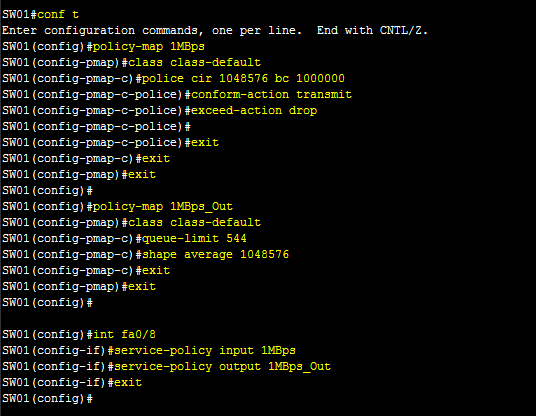
Configure bandwidth limit cisco switch

You can show your policy map by: sh policy-map   command.

Shahed

Shahed

Shahed Israr is a Network Engineer specializing in GPON, FTTH, and telecom access network technologies. With hands-on experience in Huawei OLT and ONT configuration, U2000 NMS deployment, iMaster NCE-FAN Lite management systems, firmware upgrades, and advanced network troubleshooting, he helps Internet Service Providers (ISPs) and network professionals deploy, manage, and optimize fiber optic networks efficiently. Through GPON Solution, he shares practical technical guides, real-world solutions, and professional knowledge to support engineers working in modern GPON infrastructure.

More Posts - Website

Follow Me:Add me on XAdd me on FacebookAdd me on LinkedInAdd me on PinterestAdd me on YouTubeAdd me on Reddit

Comments

comments

Leave a Comment

Time limit is exhausted. Please reload CAPTCHA.