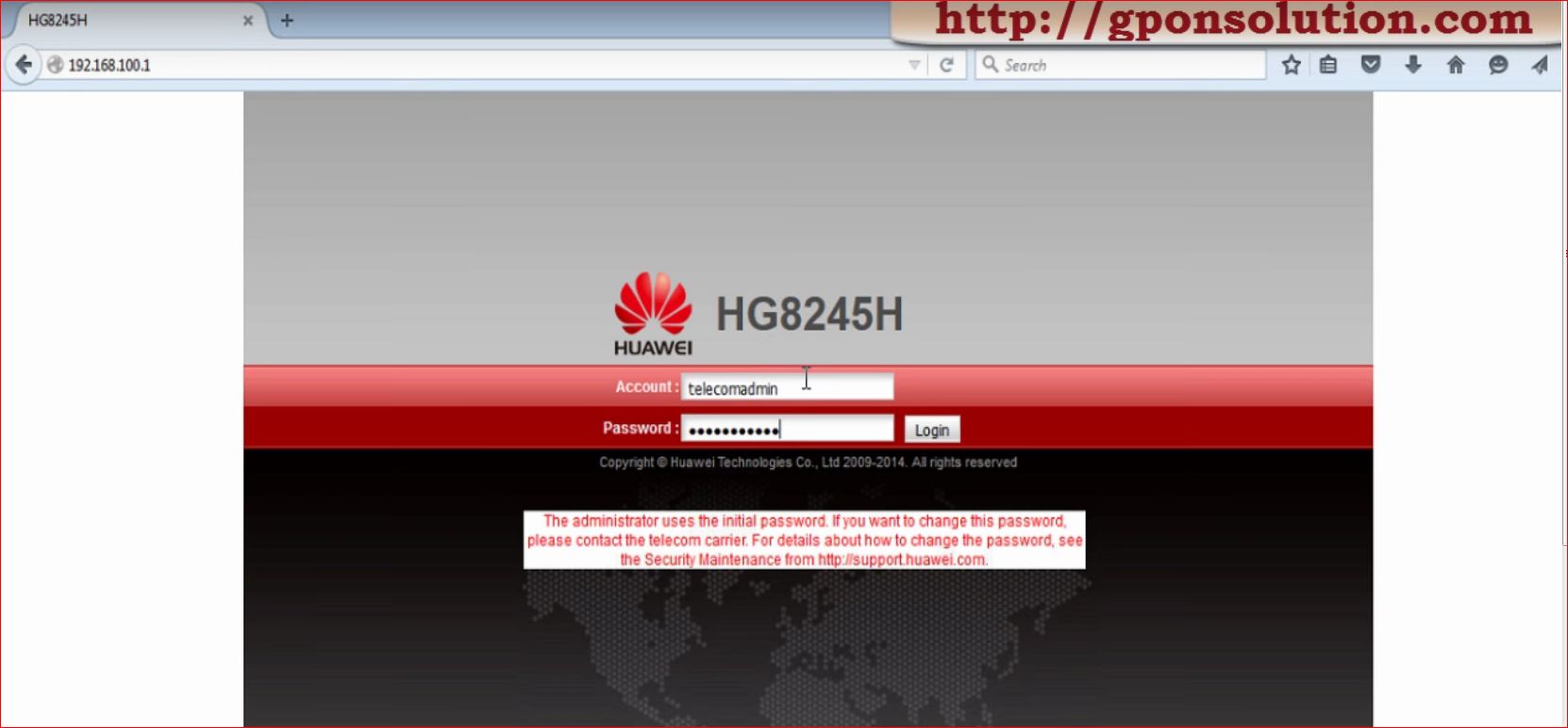
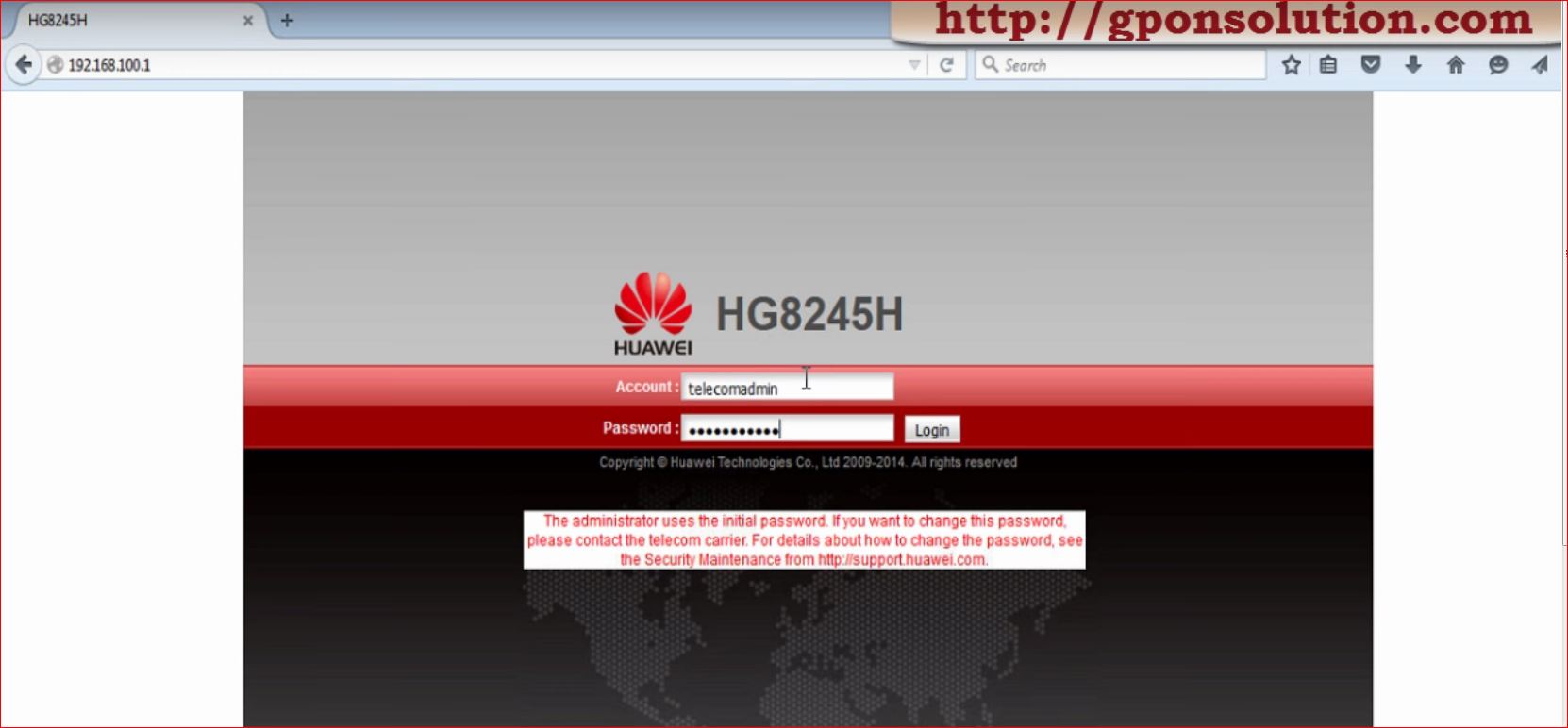
Huawei hg8245 admin password

Huawei hg8245 admin password

[boxads]

Today i will discuss about Huawei HG8245 Default password.

Question-1: What is the default user name and password for Huawei ont ?

Answer: By default, administrator mode,

Username: telecomadmin, Password: admintelecom,

Common Username: root, Password: admin

Another Username: admin, Password:*6P0N4dm1nP4SS*

Huawei hg8245 admin password

Question-2: What is the default IP address and Subnet Mask of huawei ont ?
Answer: IP address: 192.168.100.1, Subnet mask: 255.255.255.0

Question-3: If we want to connect a PC with Huawei ONT, how to set IP address and subnet mask of the PC?
Answer: Set the IP address of the PC to be in the same subnet as the LAN IP address of the HG8240/HG8245/HG8247.

Read more

Huawei HG8245 Default password

Huawei HG8245 Default password

[boxads]

Today i will discuss about Huawei HG8245 Default password.

Question-1: What is the default user name and password for Huawei ont ?

Answer: By default, administrator mode,

Username: telecomadmin, Password: admintelecom,

Common user, User name: root, Password: admin

Huawei HG8245 Default password

Question-2: What is the default IP address and Subnet Mask of huawei ont ?
Answer: IP address: 192.168.100.1, Subnet mask: 255.255.255.0

Question-3: If we want to connect a PC with Huawei ONT, how to set IP address and subnet mask of the PC?
Answer: Set the IP address of the PC to be in the same subnet as the LAN IP address of the HG8240/HG8245/HG8247.

Read more

TR-069 Basic Fundamental

TR-069 Basic Fundamental

Today i will discuss about TR-069 Basic Fundamental. Bellow are the details FAQ and it’s answer.

[boxads]

What is TR-069?

The CWMP stands for CPE WAN Management Protocol, it published by The Broadband Forum as TR-069, specifies a standard communication mechanism for the remote management of end-user devices. It defines a protocol for the secure auto-configuration of a TR-069 device and incorporates other management functions into a common framework. This protocol simplifies device management by specifying the use of an auto configuration server (ACS) to perform remote, centralized management of customer premises equipment (CPE).

Who created TR-069 and why?

In 2004, The Broadband Forum (formerly The DSL Forum) released the CPE WAN Management Protocol, which is more commonly known as TR-069. This protocol standardizes the wide area network (WAN) management of CWMP devices. TR-069 gives broadband service providers a framework and common language to remotely provision and manage these devices, which are usually in a home network, regardless of device type or manufacturer.

TR-069 supports a variety of functionalities to manage CPEs and has the following primary capabilities:

  • Auto-configuration and dynamic service provisioning
  • Software/firmware management
  • Status and performance monitoring
  • Diagnostics

TR-069 is a specific technical report from Broadband Forum; however, the term is commonly used to refer to associated reports and extensions, including TR-106, TR-098, TR-104, TR-135, TR-140, and TR-111. See the Broadband Forum for the most up-to-date information.

Read more

Troubleshoot commands of Huawei ONT

Troubleshoot commands of Huawei ONT:

[bodyads]Huawei OLT Troubleshoot commands:
To show Service port:

Huawei-OLT#config
Huawei-OLT(config)#display service-port 500

To show Service port by port:

Huawei-OLT(config)#display service-port port 0/0/6 ont 0

[Here PortID :6, ONTID :0 ]

To Show ONT Info:

Huawei-OLT(config)#interface gpon 0/0
Huawei-OLT(config-if-gpon-0/0)#display ont info 6 0

To Show Port State [Port up/down]:

Huawei-OLT(config-if-gpon-0/0)#display ont port state 6 0 eth-port all
Huawei-OLT(config-if-gpon-0/0)#display ont port attribute 6 0 eth 1

To Show Statistics:

Huawei-OLT(config-if-gpon-0/0)#display statistics ont-eth 6 0 ont-port 1

To Show Traffic:

Huawei-OLT(config-if-gpon-0/0)#display ont traffic 6 0 1

To Show Optical Info:

Read more