Huawei OLT Factory Default Command
[boxads]
Hi everybody ! Today i will discuss about how to do Huawei OLT Factory default, or erase all configuration from huawei olt. So please follow this procedure.
The erase flash data command is used to erase the configuration data in the flash memory of the control board. When the configured data is saved to the flash memory, you can run this command to restore the database to the initial state, namely, to erase the data configured by the user. After the command is executed successfully, the original configuration data in the flash memory of the control board is lost.
Usage Guidelines:
- Before erasing the data, run the backup data command to back up the database file to prevent the loss of important data.
- Before erasing the data, check autosave configuration status by display autosave configuration command, if it is enabled, please disable your autosave time & interval by command: autosave time off & autosave interval off.
- During the process of command running, the system prompts you to confirm this operation.
- During the process of command running, the system displays the progress, the suggestion when this command is executed successfully, and the cause in case of failure.
- After this command is executed successfully, the system displays the message that the configuration takes effect after the active control board is reset. Run the reboot command to reset the system so that the data in the database is cleared.
- After the data is erased, you can run the load data command to reload the database file.
Huawei OLT Factory default Example:
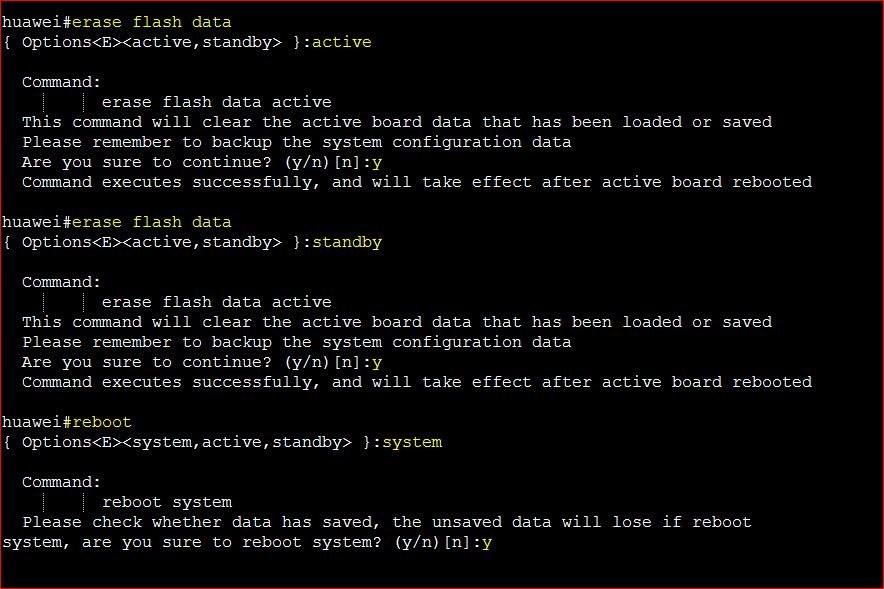
To erase the configuration data of the active control board, do as follows:
huawei#erase flash data
{ Options<E><active,standby> }:active
Command:
erase flash data active
This command will clear the active board data that has been loaded or saved
Please remember to backup the system configuration data
Are you sure to continue? (y/n)[n]:y
Command executes successfully, and will take effect after active board rebooted
[bodyads]
huawei#erase flash data
{ Options<E><active,standby> }:standby
Command:
erase flash data active
This command will clear the active board data that has been loaded or saved
Please remember to backup the system configuration data
Are you sure to continue? (y/n)[n]:y
Command executes successfully, and will take effect after active board rebooted
huawei#reboot
{ Options<E><system,active,standby> }:system
Command:
reboot system
Please check whether data has saved, the unsaved data will lose if reboot
system, are you sure to reboot system? (y/n)[n]:y
System Response:
- The system displays the message “Command executes successfully, and will take effect after system rebooted” after the configuration data in the flash memory of the control board is erased successfully.