
Juniper Remote Access Configuration
Today i will discuss about Juniper Remote Access Configuration Example. How to enable FTP, SSH, Telnet, http etc…service in Juniper Router/Switch. [boxads]
Enable FTP Service:
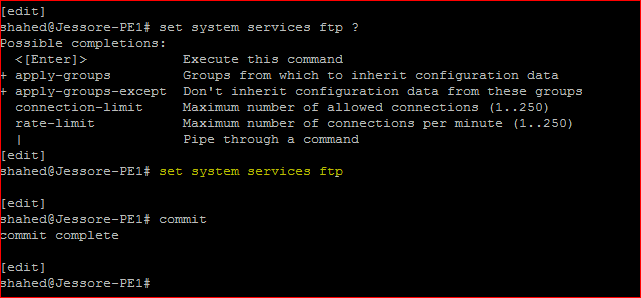
shahed@Jessore-PE1# set system services ftp ?
Possible completions:
<[Enter]> Execute this command
+ apply-groups Groups from which to inherit configuration data
+ apply-groups-except Don’t inherit configuration data from these groups
connection-limit Maximum number of allowed connections (1..250)
rate-limit Maximum number of connections per minute (1..250)
| Pipe through a command
[edit]
shahed@Jessore-PE1# set system services ftp
[edit]
shahed@Jessore-PE1# commit
commit complete
By default, the router or switch supports a limited number of simultaneous FTP sessions and connection attempts per minute. You can include either or both of the following statements to change the defaults:
- connection-limit limit—Maximum number of simultaneous connections per protocol (IPV4 and IPv6). The range is a value from 1 through 250. The default is 75. When you configure a connection limit, the limit is applicable to the number of sessions per protocol (IPv4 and IPv6). For example, a connection limit of 10 allows 10 IPv6 FTP sessions and 10 IPv4 FTP sessions.
- rate-limit limit—Maximum number of connection attempts accepted per minute (a value from 1 through 250). The default is 150.When you configure a rate limit, the limit is applicable to the number of connection attempts per protocol (IPv4 and IPv6). For example, a rate limit of 10 allows 10 IPv6 FTP session connection attempts and 10 IPv4 FTP session connection attempts.
You can use passive FTP to access devices that accept only passive FTP services. All commands and statements that use FTP also accept passive FTP. Include the ftp statement at the [edit system services] hierarchy level to use either active FTP or passive FTP.
To start a passive FTP session, use pasvftp (instead of ftp ) in the standard FTP format (ftp://destination). For example:
request system software add pasvftp://name.com/jinstall.tgz
You cannot include the ftp statement on routers or switches that run the Junos-FIPS software. We recommend that you do not use the finger service in a Common Criteria environment.
Enable Telent Service:
[edit]
shahed@Jessore-PE1# set system services telnet ?
Possible completions:
<[Enter]> Execute this command
+ apply-groups Groups from which to inherit configuration data
+ apply-groups-except Don’t inherit configuration data from these groups
connection-limit Maximum number of allowed connections (1..250)
rate-limit Maximum number of connections per minute (1..250)
| Pipe through a command
[edit]
shahed@Jessore-PE1# set system services telnet